DNS hosting
Zone hosting is free · proxying and site protection from $45/mo · see pricing
Why do you need a DNS server? A DNS server has to respond the moment a user's system, a browser for example, sends it a request to resolve the IP address of a website or any other resource on the Internet. Otherwise the resource will be unreachable even if the hosting itself works perfectly.

DNS hosting is a service that lets you manage the contents of DNS zone files and DNS server settings through resource records. This type of hosting is required for every web resource to function properly. The "DNS hosting" service means fast and stable DNS servers, along with an editor that lets you manage the contents of zone files and DNS server settings conveniently and intuitively.
How to work with Alviy DNS hosting
Once you add a domain to the panel, zone editing becomes available.

DNS Hosting parameters
Zone editing is available even before delegation is transferred. In your dashboard you can create new records and edit existing ones:
- NS to specify the DNS addresses of Alviy servers
- A for IPv4 addresses
- AAAA for IPv6 addresses
- CNAME to create aliases pointing to other domains
- MX mail servers of your company or third-party email providers
Traffic proxying
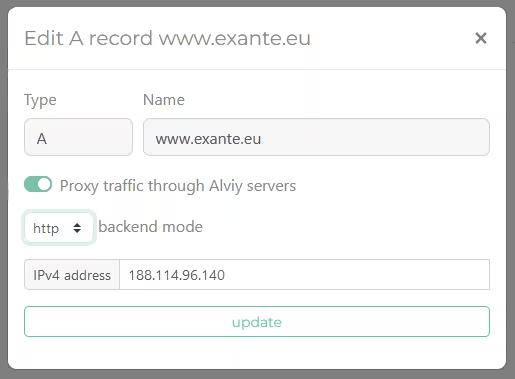
Proxying mode settings
After the zone is delegated to Alviy.com, you can enable proxying mode. Once SSL certificates are generated for the zone on Alviy's proxying systems, editing mode is activated with traffic proxying options:
- The Proxy traffic toggle routes traffic to the scrubbing centers, hiding the target IP address
- backend mode defines, for the active proxying mode, the communication protocol between Alviy servers and the target web server. It is either plain http traffic or the encrypted https protocol
Zone scanning
Finding existing records
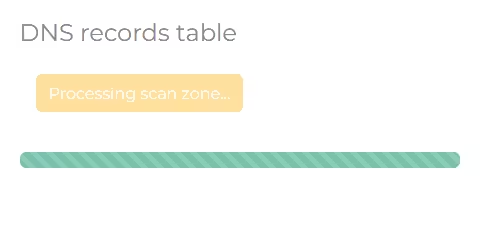
Scanning an existing zone
To simplify migrating a zone from other DNS hosting providers, we offer a mechanism that streamlines the move.
We scan the active NS servers and find all existing records. On average 99% of the zone is discovered, and only hidden
records have to be entered manually.
How much it costs
Running a zone is free. It covers everything you need to keep a domain online: any number of zones, all record types, the control panel and the API. There is no separate charge for hosting the zone.
You only pay if you add website protection and acceleration — traffic proxying with attack filtering and caching on top of the same zone. Its rates, together with the other modules, are on the pricing page. And if you need individual names that follow a changing address, that is dynamic DNS.